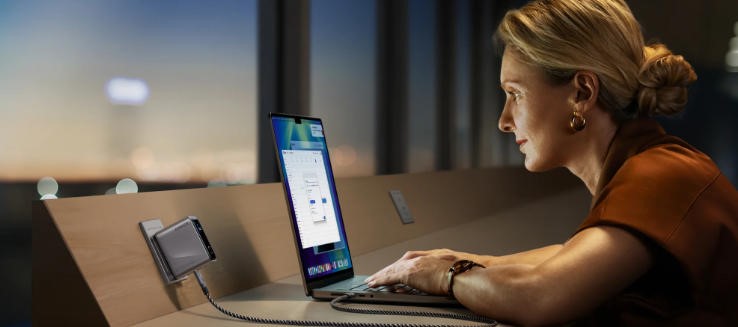
Chargers are the silent heroes of our daily tech routine, often overlooked until they stop working. From powering smartphones to keeping our tablets and wireless accessories alive, a reliable charger ensures our digital life never pauses. In today’s world, where people often juggle multiple devices, solutions like an Anker multi usb charger have made life much more convenient, allowing several gadgets to charge simultaneously without clutter. However, even the most durable chargers need proper care to last long. In this article, we’ll explore practical ways to keep your smartphone charger in excellent condition and ensure it serves you efficiently for years.
Proper Handling: The First Line of Defense
How to Correctly Plug and Unplug Your Charger
Plugging and unplugging your charger may seem trivial, but doing it wrong repeatedly can have long-term effects. Always make sure the plug fits securely into the socket before use. If it feels loose or unstable, avoid forcing it in, as this can damage both the plug and the wall outlet. When unplugging, grip the adapter body rather than the cord to prevent stress on the internal wires. Additionally, avoid plugging your charger into sockets that show signs of wear or overheating. Simple mindfulness in these everyday actions can go a long way in maintaining your charger’s reliability.
Avoiding Strain on the Cable and Port
Cables often suffer from physical strain when bent too tightly, twisted, or pinched under objects. These stresses can break internal copper wiring and lead to intermittent charging issues. To prevent this, make sure the cable runs in a natural curve rather than a sharp angle, especially near the connector. When charging overnight or at your desk, position your phone and charger so that the cord isn’t pulled tight or dangling from a height. Using small cable organizers or clips can also help reduce strain. Protecting your charger cable in this way not only keeps it working properly but also safeguards your phone’s charging port.
Managing Heat: The Silent Killer of Chargers
Why You Should Unplug Chargers After Use
Leaving your charger plugged in after use might seem harmless, but it’s not a good habit. Even when idle, plugged-in chargers continue to draw a small amount of power and generate residual heat. Over time, this can degrade components and shorten lifespan. Additionally, unplugging chargers when not in use prevents accidental short circuits or power surges. It’s a simple habit that improves safety, saves electricity, and extends the life of your charger.
Ensuring Proper Ventilation During Charging
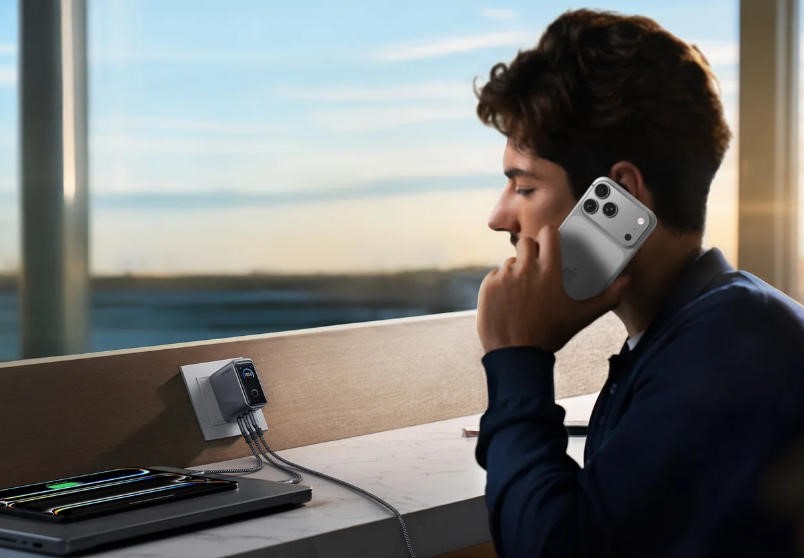
A charger needs room to breathe while working. Covering it with clothes, papers, or keeping it under a pillow while charging your phone can cause overheating. This not only affects charging speed but may also lead to safety risks. Always place your charger on a hard, flat surface and ensure air can circulate freely around it. For those using multi-device solutions like an Anker multi-USB charger, proper ventilation becomes even more important since multiple charging ports generate more heat. With enough airflow, your charger can operate efficiently and last longer without performance drops.
Protecting the Cable: Preventing the Most Common Failures
Cable damage is the number one reason most chargers fail prematurely. Frequent bending, twisting, and accidental pulling can cause internal wire breaks that aren’t visible from the outside. To prevent this, store cables neatly when not in use, preferably using a soft loop rather than tight wrapping. Avoid rolling them around the charger head too tightly, as this can weaken the ends. For travel, invest in small cable pouches that protect your cords from tangling and physical damage. Developing these habits ensures that your cable remains sturdy and maintains optimal charging performance over time.
Cleaning and Environmental Care
Dust and debris might seem harmless, but they can accumulate in your charger’s ports or connectors and disrupt the charging process. Make it a routine to gently clean the plug and cable ends with a dry cloth. Avoid using liquids or sprays, as moisture can cause corrosion. Environmental care also plays a role in charger longevity—avoid using chargers in humid areas like bathrooms or kitchens where condensation may occur. Additionally, storing chargers at room temperature, away from sunlight, helps maintain their internal integrity. A clean and dry environment can make a surprising difference in performance stability and product lifespan.
Smart Usage Habits for Long-Term Health
Good usage habits separate chargers that last for months from those that last for years. One of the best protective steps you can take is using a surge protector to guard against voltage spikes during storms or unstable power conditions. Consistent exposure to power surges can silently damage internal circuits. Another smart practice is choosing a charger that’s well-matched to your device’s needs. A reputable brand known for high-quality construction—like Anker—offers chargers that balance speed, safety, and durability. Whether it’s a standard wall adapter or an Android quick charger, investing in trusted quality ensures steady power delivery without overheating or inefficiency.
Conclusion
Maintaining your smartphone charger might not be exciting, but it’s one of the simplest ways to extend its lifespan and enhance safety. By handling it gently, managing heat, and cleaning it regularly, you can prevent common issues that lead to early failure. Making mindful choices—like unplugging after use or using a quality charger—protects your investment and ensures your devices charge efficiently every day. With just a few small habits, you can enjoy consistent, worry-free charging and avoid the frustration of replacing chargers too soon. Charge smarter today, and your wallet—and devices—will thank you tomorrow.

 By
By